For doctors in private clinics in the Philippines
Your patient records, at every clinic. Even with no signal.
Paper is fast, and it works. But the folders stay in a cabinet at one clinic while you see patients at another. Klinic2Go carries each patient’s record with you, on your tablet.
An Android app for your records, visits, prescriptions, med certs and bills, on your tablet and your secretary’s phone at the desk.
Coming to Google Play. Android tablets and phones only, not iPhone or iPad.
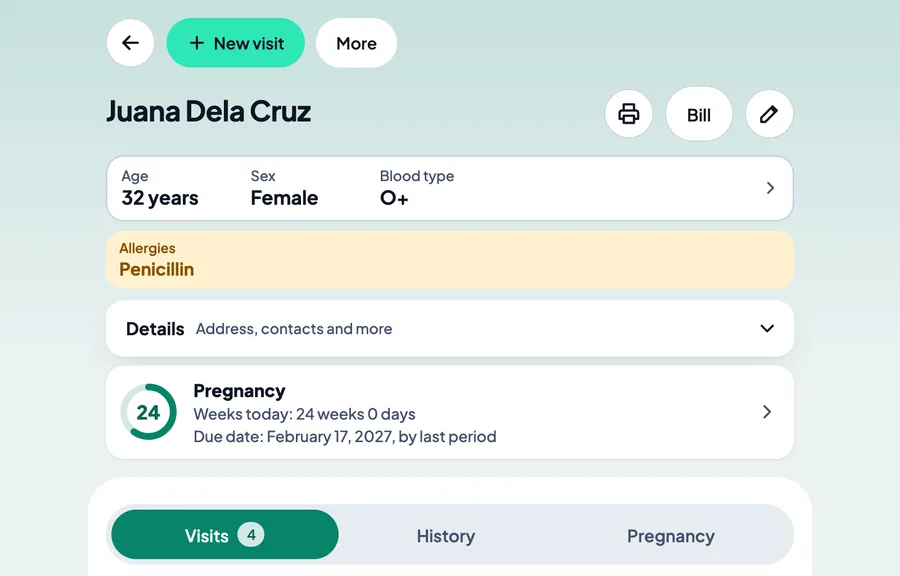
No signal at the town clinic? It still works.
Open records, write visits and print with no internet. Your tablets and phones catch up with each other when there is a connection.
Pair your secretary’s phone once, on the same Wi-Fi as your tablet. After that, the two keep up with each other over the internet.
Two clinics or five, it is one set of records. Each visit, bill and booking says which clinic it was at.
Worried about all the typing?
Scribbling on paper is quick. Here is what the app does so you type less.
- Your secretary types the patient’s details on the phone at the desk. You pick which details the phone asks for.
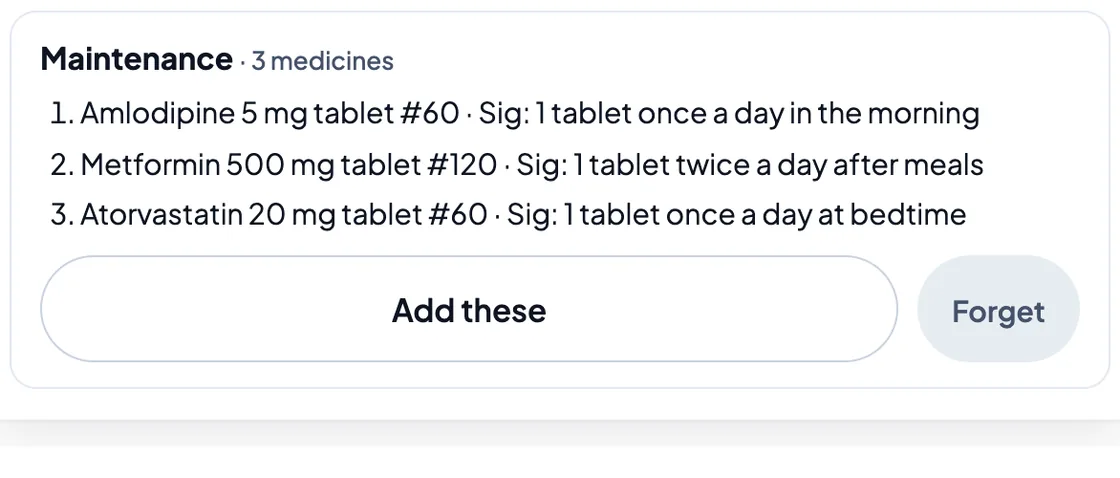
- The app remembers your prescription lines. Start typing a medicine and the lines you wrote before come up. Save a set you often give, like your usual prenatal vitamins or the maintenance medicines for high blood pressure, and add it in one tap.
- Medical certificates fill themselves from the patient’s record and the visit.
- Charges are a tap from your own price list. No typing amounts.
- Lab results and referral letters: take a photo instead of typing them. The photo stays in the app, not in your phone’s gallery.
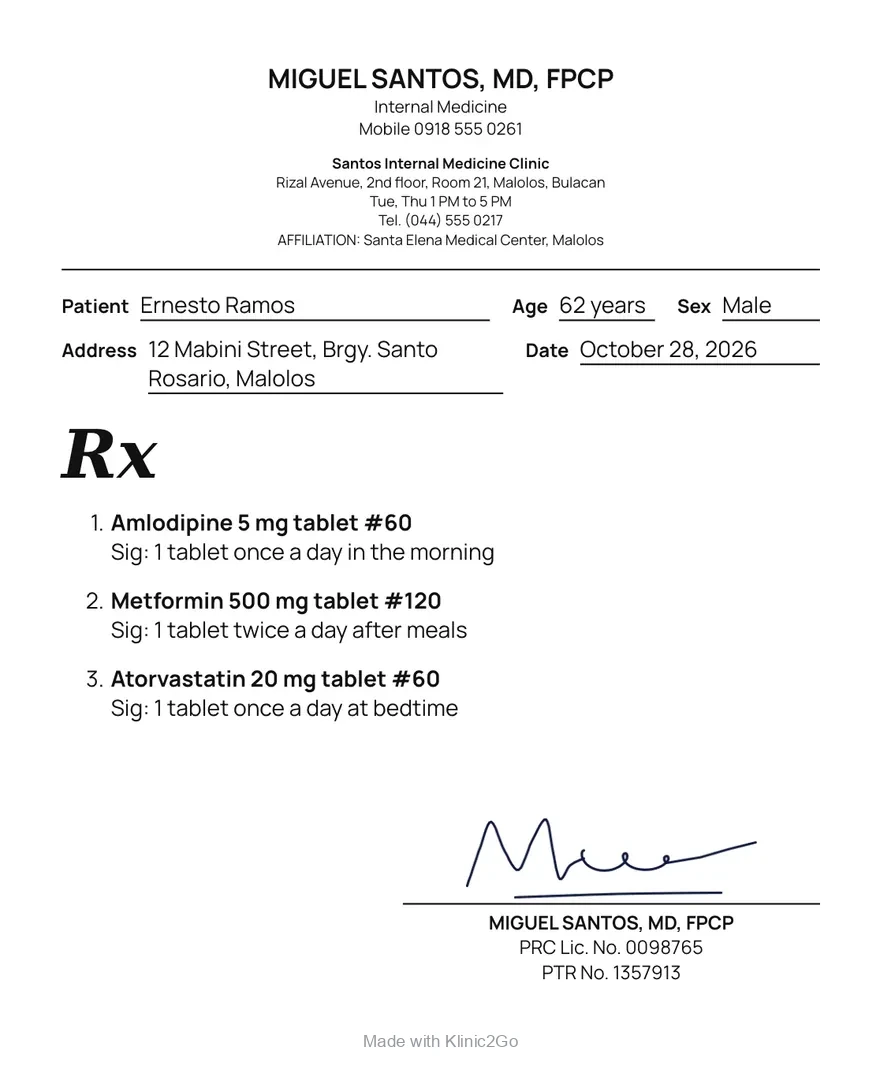
- Printed prescriptions that the patient and the pharmacist can read easily.
- Start with new patients only. Your old paper records can stay as they are. From the first visit you write in Klinic2Go, that patient’s record goes with you.
OB-GYN: her AOG and EDD, the moment you open the record.
The EDD comes from her last period, or from the due date by ultrasound once you enter it, and the app says which one it used. Her prenatal visits are all in one place.
OB-GYN is the first specialty with its own extra record. Every other specialty uses the general record. More specialties are planned.
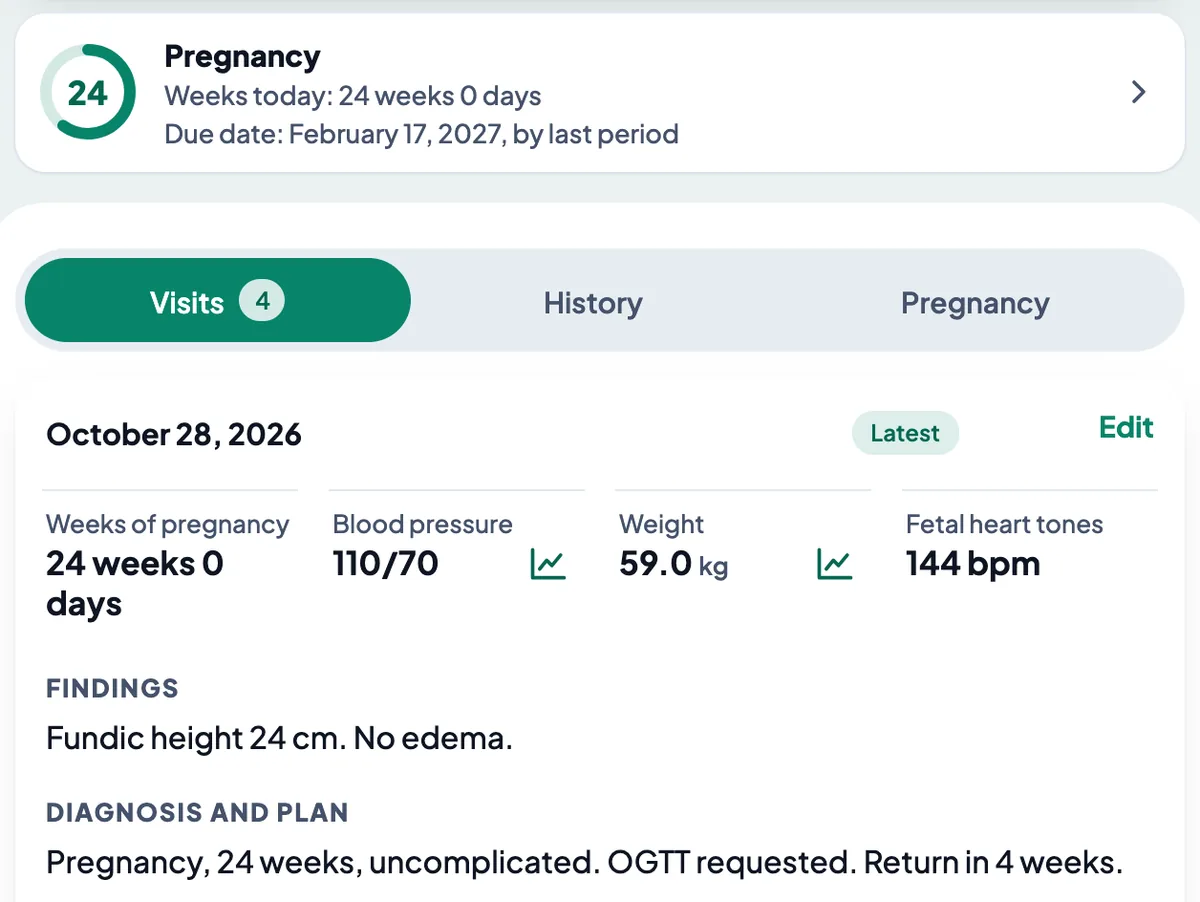
Every visit in one record, not in a folder at another clinic.
A patient’s record holds the details, allergies (shown in yellow), history, every visit, and any extra details you choose to keep.
Each visit has vital signs, complaint, examination, diagnosis and plan. Set the next visit before you close it.
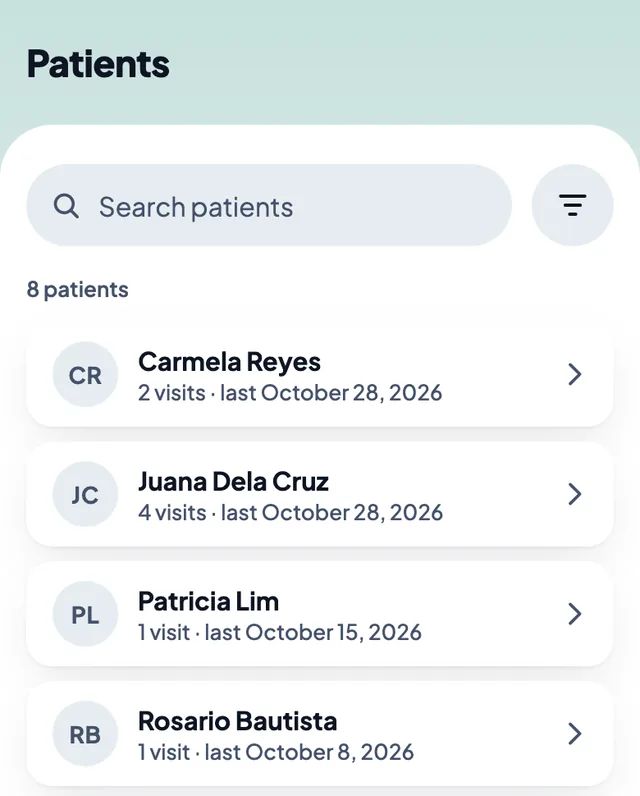
Find a patient by any part of the name. Entered someone twice? Combine the two.
Make it yours: your own price list, your clinics, and the app in English or Filipino.
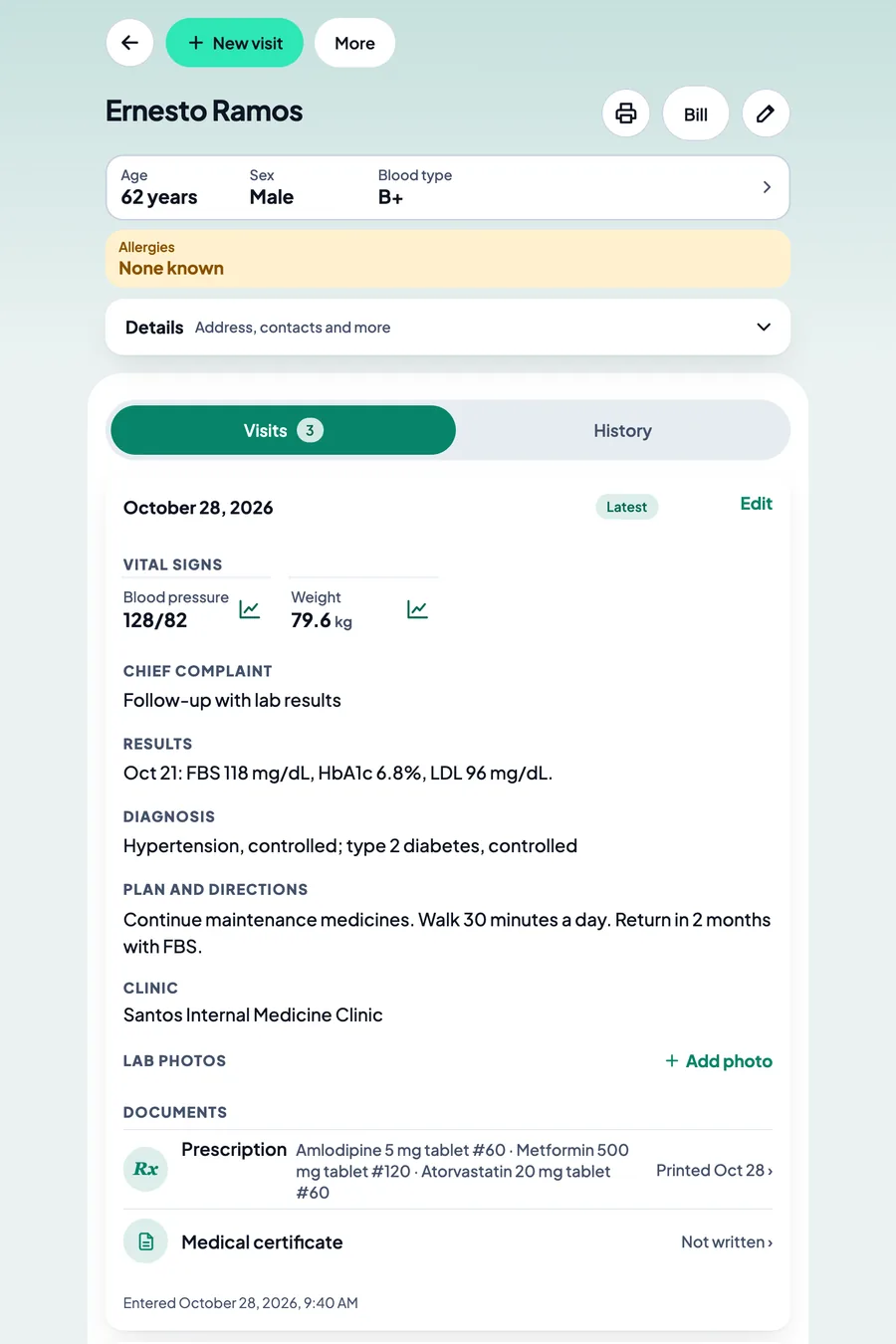
Rx and med certs, printed with your name, license number and PTR.
Set your signature once. It goes on each prescription you save.
If you turn it on, the patient scans a QR on your screen and downloads the prescription as a PDF. The link works for 3 days. You can also send it with your phone’s Share button.
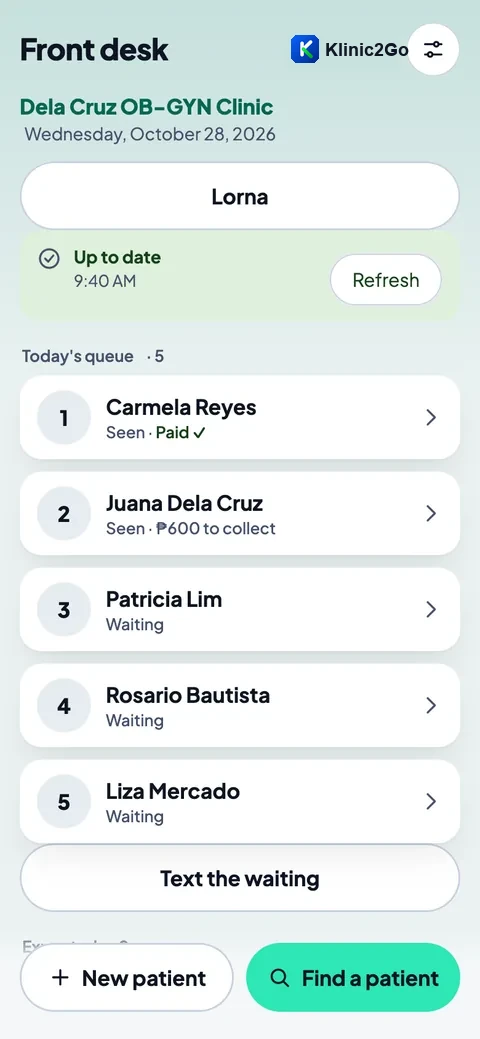
Your secretary’s phone shows today’s list.
Who is waiting, who has been seen, who has paid and who still owes. Bookings, and payments taken at the desk.
No more going back and forth to ask how many are left.
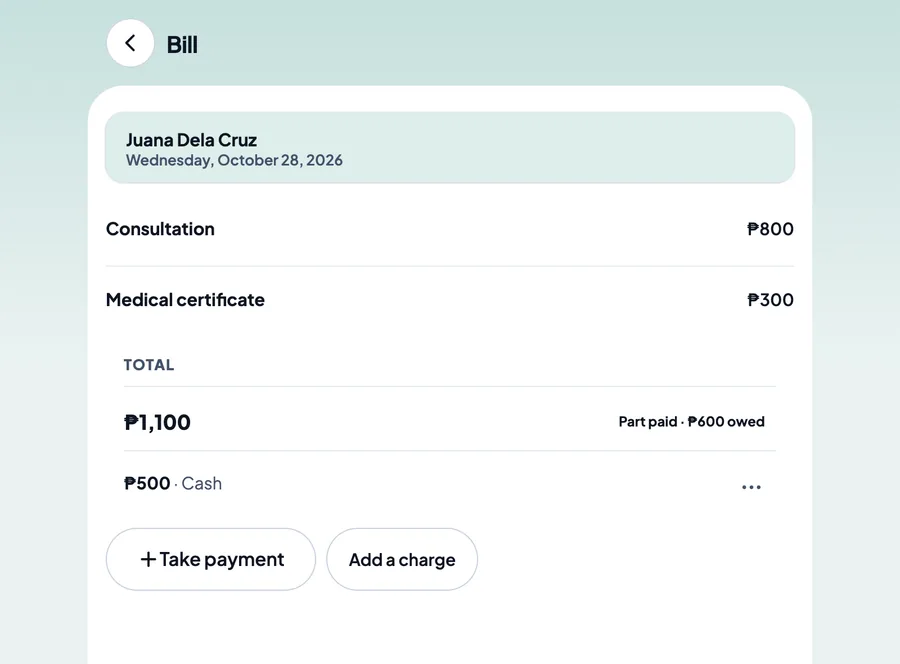
The bill adds itself up.
Charges come from your own price list. One bill per patient, per day, per clinic. Payments are recorded, and older balances are taken at the desk.
It does not issue official receipts.
Your patients’ records, and who can open them.
- Your records are kept on your own tablets and phones and your secretary’s phone, with a locked backup in your Google account. We cannot open them.
- The app opens with your tablet’s or phone’s own screen lock: fingerprint, face, PIN or pattern. It locks itself after 5 minutes out of sight. So set a screen lock on every tablet and phone.
- A locked backup goes to your own Google account. The app can see only its own backup there, not your other files. Google sign-in is used for that backup and for adding your own phones and tablets.
- Nothing from your Google account is sold, used for ads, or shared.
You are in charge of your records, as with paper records. Under the Data Privacy Act of 2012 you are the personal information controller, and you give your patients your own privacy notice. MobileBiz Systems acts for you.
We cannot open your records. The privacy policy has the details.
What Klinic2Go does not do
Better you hear it from us now than find out after you sign up.
- No PhilHealth claims and no HMO billing.
- No official receipts or invoices. No stock counting.
- It does not suggest diagnoses or check drug interactions.
- Not on iPhone or iPad. Android only.
- Made for tablets and phones, not computers.
- No links to labs or hospital systems.
US$20 a month. The first 10 days are free.
For all your tablets and phones, the secretary’s phone included.
Paid through Google Play, which shows the price in pesos. Cancel any time in Google Play.
If you stop, you can still open, read and print your records.
Who is behind Klinic2Go
Klinic2Go is made by MobileBiz Systems Pte Ltd, a private limited company in Singapore: your clinic, in your pocket.
Questions before you sign up? Write to support@klinic2go.com.
Join the early list
Klinic2Go is not on Google Play yet. Leave your details and we will write to you when it opens, with your 10 free days.